

Capture | Upgrade to 2026 Solo Edition
€ 99,00
Excl. BTW
Levertijd:
Ca. 2 werkdagen*
Ca. 2 werkdagen*
Art. code
CA-23.0010
Capture | Upgrade to 2026 Solo Edition
Upgrade a previous Capture Duet Edition to 2026. Upgrades are priced the same regardless of which version you own.
What's new in Capture 2026?
With a focused effort on modernising Capture's user interface we have made it easier and faster than ever to edit and manipulate fixtures, universes and layers. New smoke visualisation, improved bloom, a new lens flare effect and the ability to tweak image settings helps make renders even more realistic and appealing.
Editing
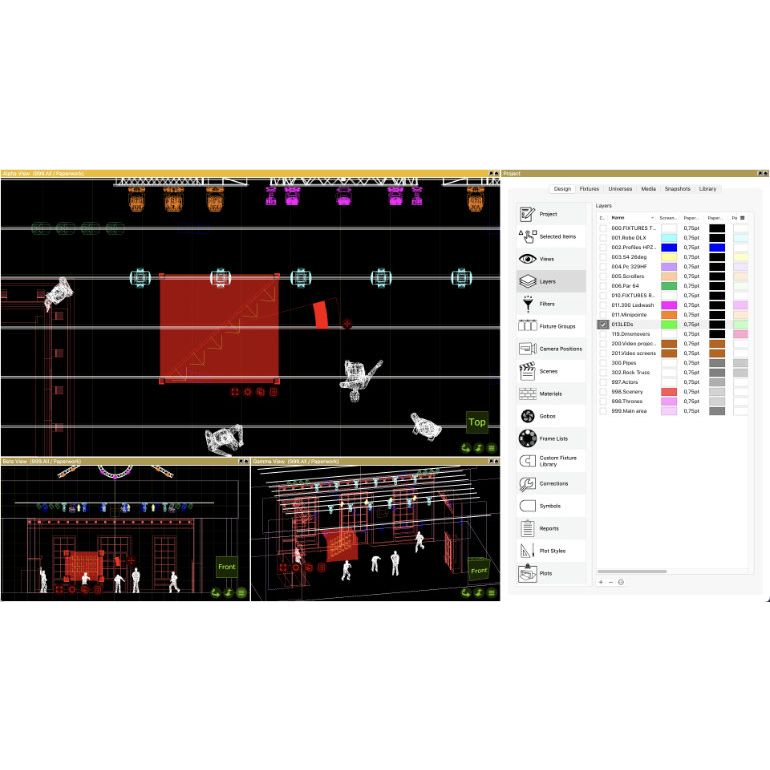
- In Capture 2025 we replaced Windows and macOS property lists with our own implementation - in Capture 2026 we are also replacing property tables with our own implementation. Property tables form the foundation of the Fixtures tab as well as the Layers category in the Design tab. With our own implementation of both property lists and property tables we have been able to take editing to a new level.
- We have aligned the visual appearance of property lists and property tables so that they match each other and between Windows and macOS. This includes a full overhaul of colours and keyboard behaviours.
- Property table column headers now support sorting in both directions on Windows.
- Selecting and editing data across multiple rows is now up to the latest standards of spreadsheet software.
- Editing of multiple rows at once with the mouse no longer requires the use of keyboard modifiers on Windows.
- Column data of selected rows in a property table can now be copied and pasted to and from other columns, making it easy to move data between columns in fixtures as well as layers.
- Copy and paste in property tables is now integrated with the system clipboard. This means that you can now copy and paste data in and out of Capture, into and from other softwares, such as text editors or spreadsheet software.
- When copying and pasting layer colour data, colours are automatically converted to and from text form, such as #FF0000 or (255, 0, 0) for red.
Layers
- We have made it a lot easier to deal with larger amounts of layers. It is now possible to group layers, collapse layers groups and move layers between groups.
- Any set of layers can be selected and grouped. If all selected layers start with a common text, this text automatically becomes the group name. Groups can be renamed and collapsed as needed. Groups are always presented in alphabetic order and layers can be dragged between groups.
- When you import files from other software that include layers, such as DWG or SketchUp files, the (top level) folder structure of layers is imported in groups.You can also have imported layers automatically be placed in a
- group named after the file they were imported from.
- With the new copy and paste capabilities it is now easy to copy layer colours between layers, as well as between colour types.
- Sometimes you want to edit all layers in a group at once. Holding the Alt or Option key while clicking on a row selects all rows in the layer group.
Fixtures
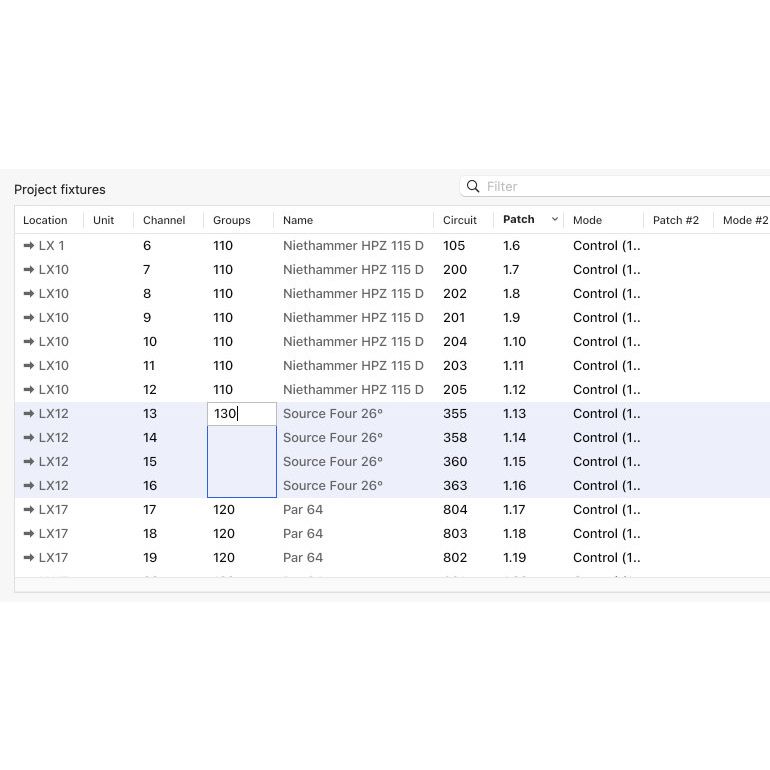
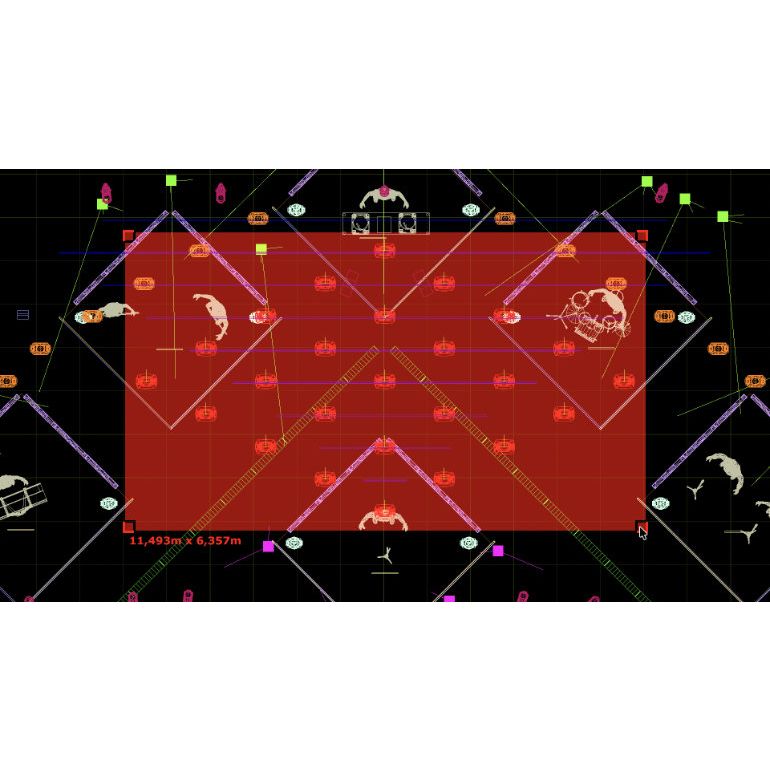
- A new type of incremental editing, combined with copy and paste, and automatic "next value" suggestions, has turned the Fixtures tab into a powerful spreadsheet editor. The new Fixture Details command allows you to bring up a mini version of it on demand, providing a new and faster workflow for bulk data input.
- If the = sign is shown, the same value will be applied to all rows. By holding the shift key you can toggle between the = and the + sign. When the + sign is shown, each row gets assigned the entered value, incremented by one.
- After editing, when editing another row in a Unit, Channel, Circuit or Patch column, the next value is automatically suggested. This memory also interacts with that of the Sequential commands.
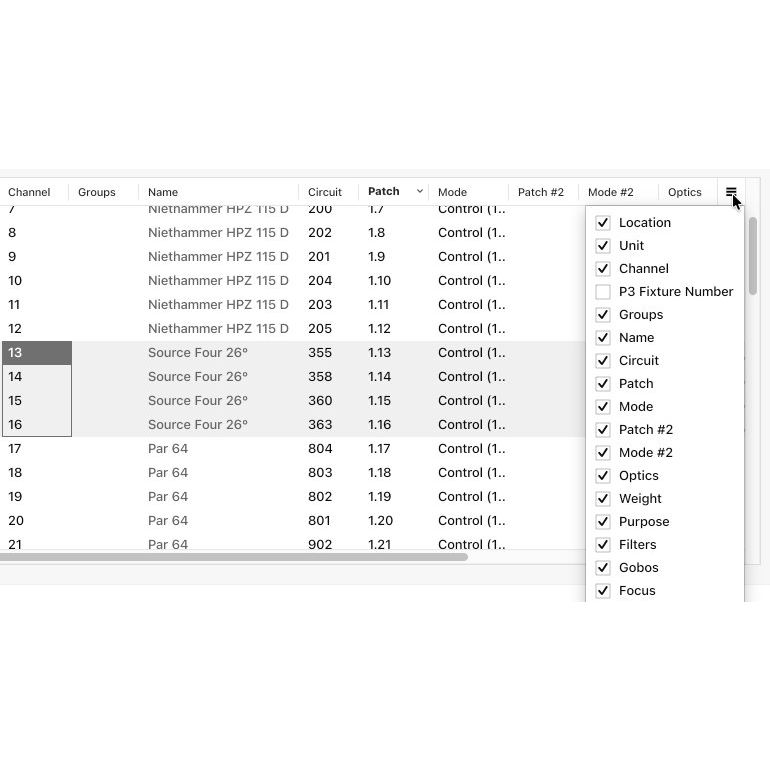
- The new column chooser lets you choose which columns you wish to see. You can also reorder columns using drag and drop in the column chooser. Several new columns, that are not visible by default, are now available.
- The Group property of a fixture is now editable, letting you add and remove fixtures from groups by text input. If you enter the number of a group that doesn't exist, it will be created on the fly.
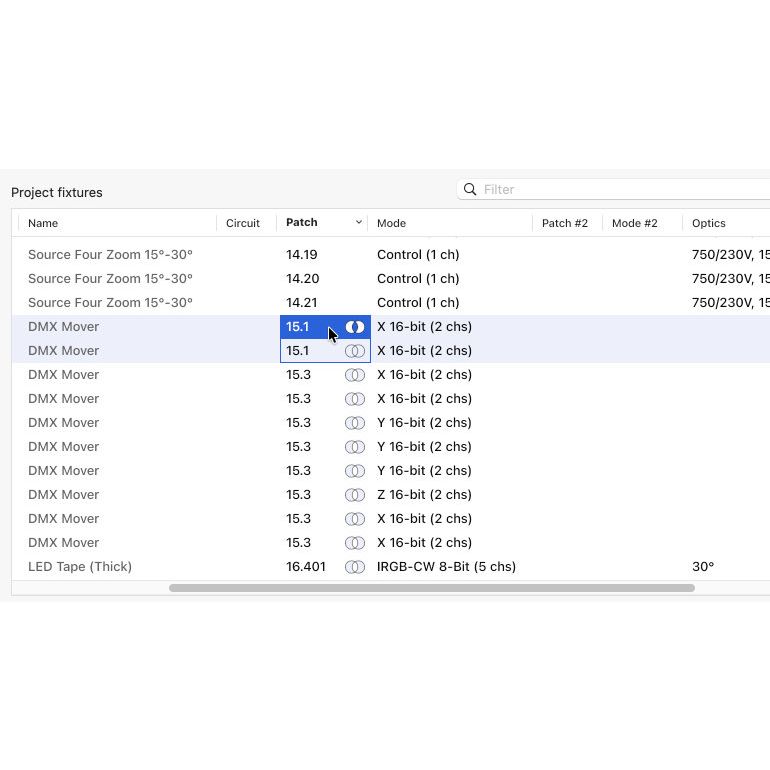
- It is now easy to tell whether a fixture is patched overlapping another fixture, or in a way that its last channels fall outside any universe.
- The new Fixture Details command opens a mini version of the Fixtures tab on demand. It only contains the currently selected fixtures, all selected by default. Use it to inspect fixtures as well as inputting bulk data using the new incremental editing and next value suggestion mechanisms.
- There are now dedicated columns for secondary patch points, with a "#2" suffix.
- The Sequential Patch command now lets you choose which patch point you wish to patch. Reports and fixture data import as well as export now also have dedicated secondary patch point columns.
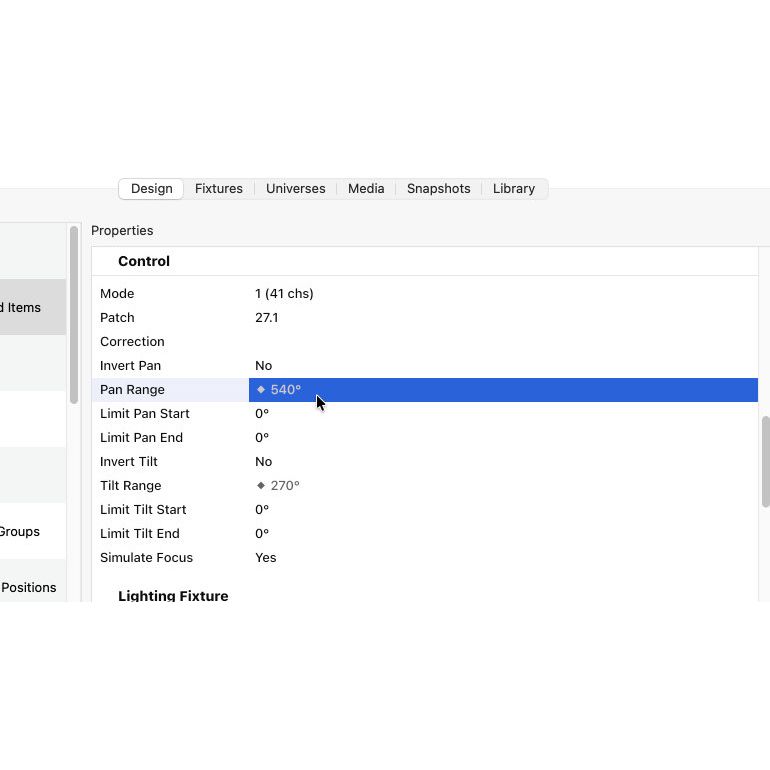
- The pan and tilt ranges of a moving head can now be overridden. This accommodates for fixtures that are not restricted to a factory pan and tilt range, but allow it to be configured on-board.
- Focus simulation is now based on a "near to far" rather than a "0% to 100%" concept. This means that when focus simulation is enabled, the footprint of a beam looks sharpest when the focus parameter is set to 50%.
- It is now possible to create zoom response curve corrections for soft edge fixtures.
LED strips
- We are introducing a new generic LED Strip fixture. It replaces previous workflows involving texture generators combined with imported UV-mapped objects.
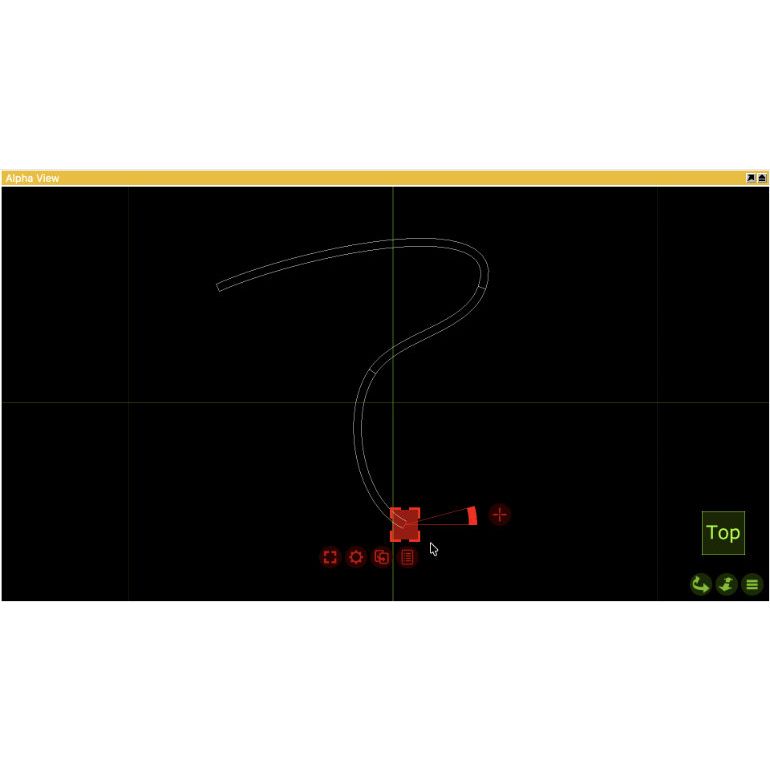
- By default the LED Strip is straight, with a single start and end point. By selecting, moving and rotating the points you can shape the LED Strip as you need. You can use the Spilt command to add additional points.
- The LED Strip is not restricted to two-dimensional shapes - points can be moved and rotated in all axis, for roller coaster like shapes.
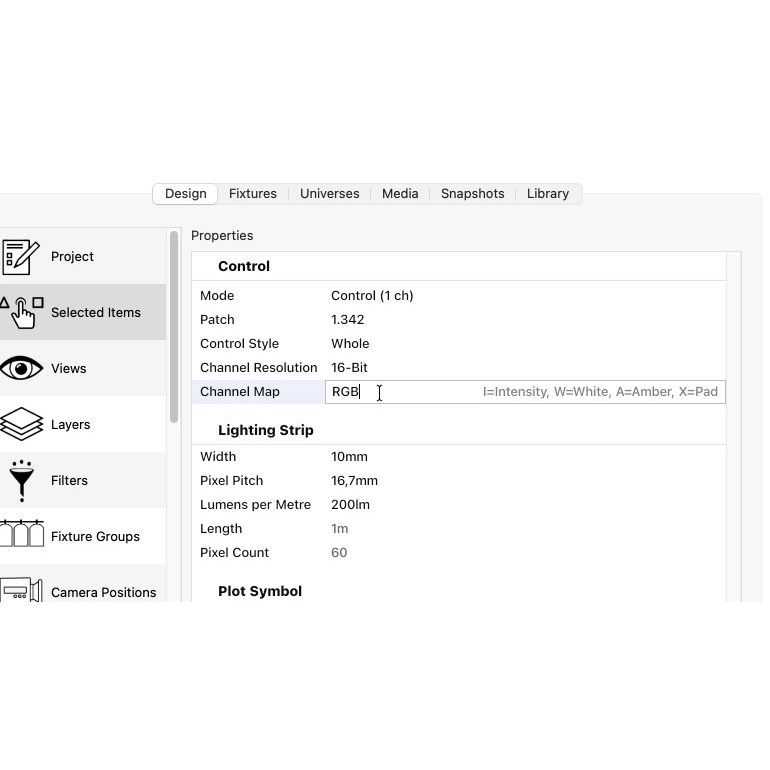
- LED Strips can be controlled both as a whole, or pixel by pixel. The layout of the control channels is freely editable, supporting Intensity, R, G, B, White (6500K) and Amber (3200K).
- The number of pixels is automatically calculated from the length and pixel pitch of the LED strip. Both 8-bit and 16-bit control is available.
Custom fixtures
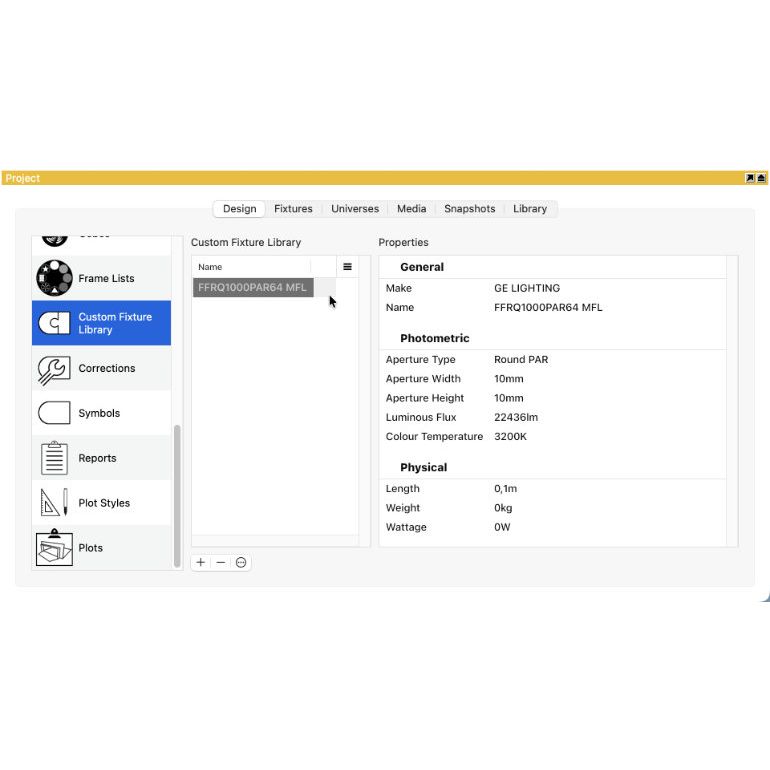
- For the first time it is now possible to expand the fixture library with your own custom build fixtures. We begin by allowing you to import IES files, which is important for a multitude of architectural applications.
- Import an IES file to create a custom library fixture in your project. Edit and tweak its options and drag and drop the fixture into your design, just as you would from the regular library.
- Each project file has its own custom fixture library. You can import custom fixtures from other projects using the Import Project Content command.
Universes
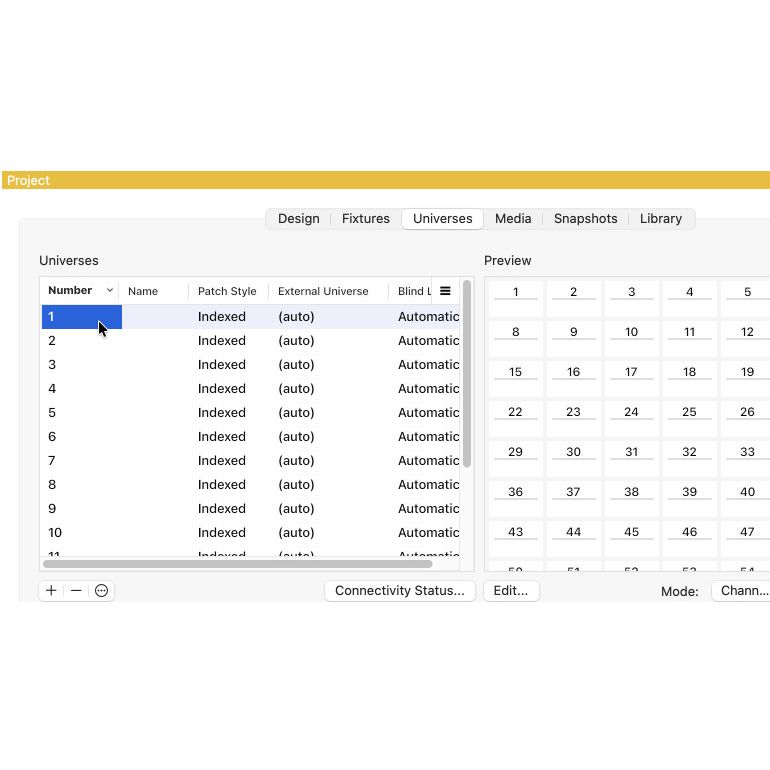
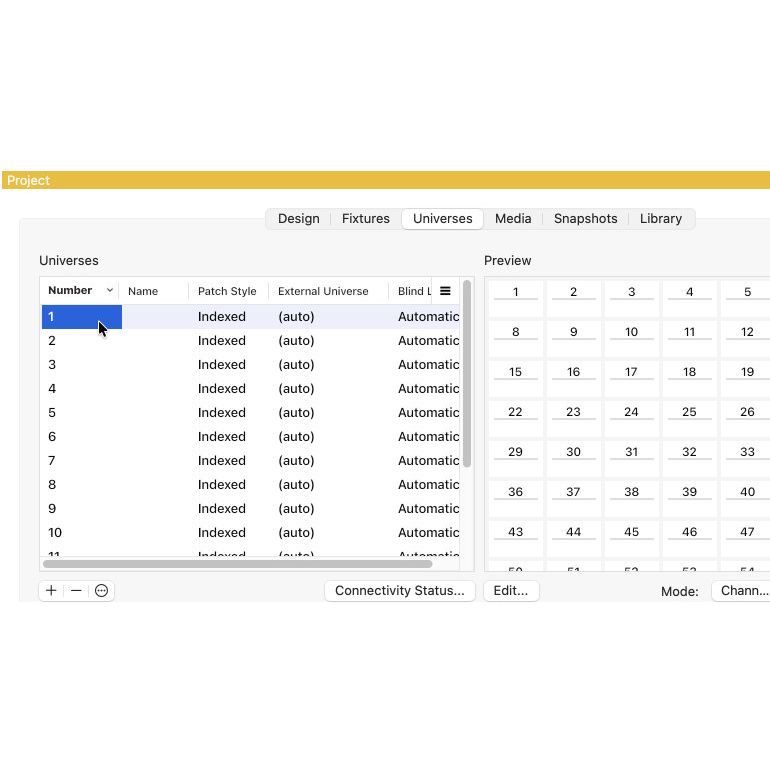
- We have redesigned universe naming and numbering. The universe number is now the primary universe identifier, with the name being optional. Thanks to the improvements in property tables, it is now easy to renumber and remap universes to external universes.
- Previously known as Patch Base, the universe Number is now what uniquely identifies a universe. A name can still be assigned, but is optional. Gaps in universe number ranges are allowed.
- Fixtures can now be patched across universe boundaries. This enables designs that are not bound by physical DMX cable signal distribution.
- Incremental editing makes bulk changes easy. You can use it to renumber universes as well as remap universes to external universes.
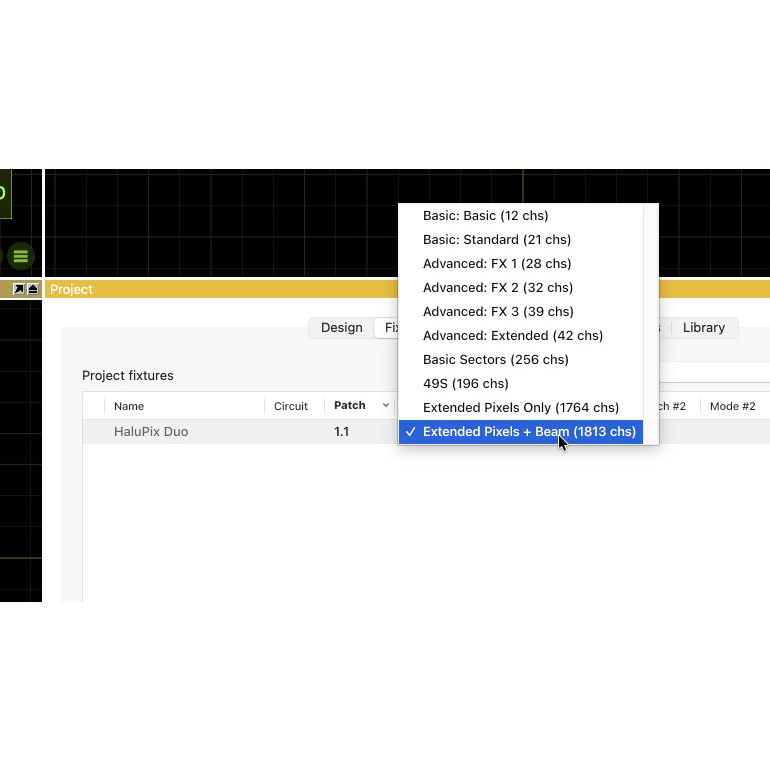
- Fixture modes that require more than 512 DMX channels are now supported.
Rigging
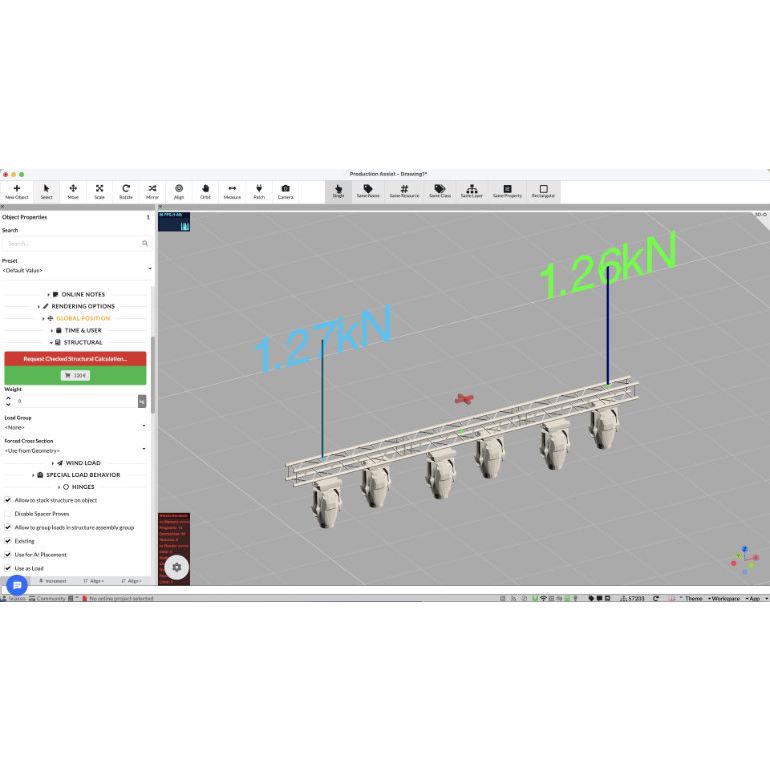
- We are enabling more advanced rigging workflows through the introduction of slings, including an integration with Production Assist for performing structural calculations.
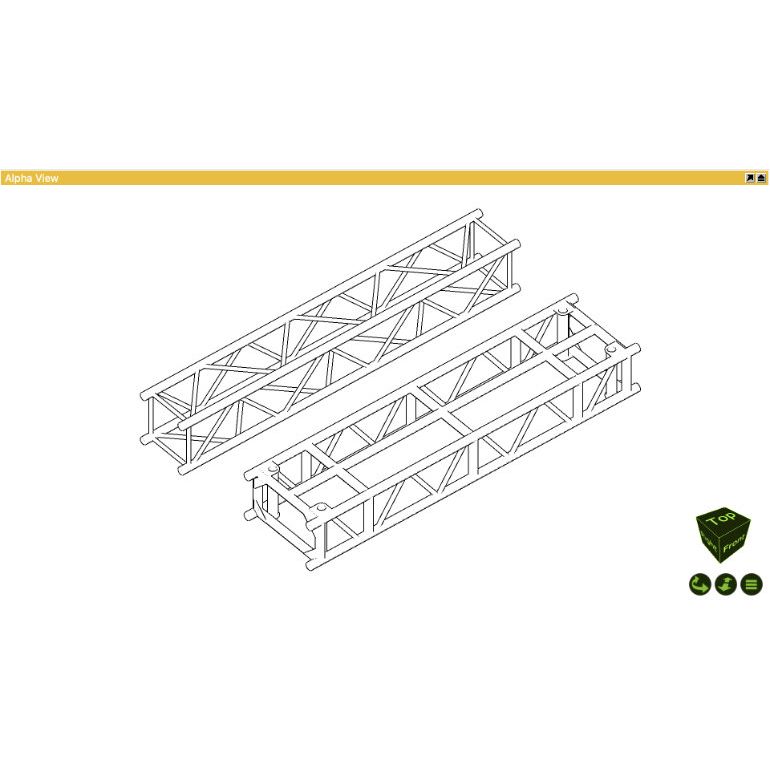
- Static trusses now have the same solid appearance as our dynamic library trusses.
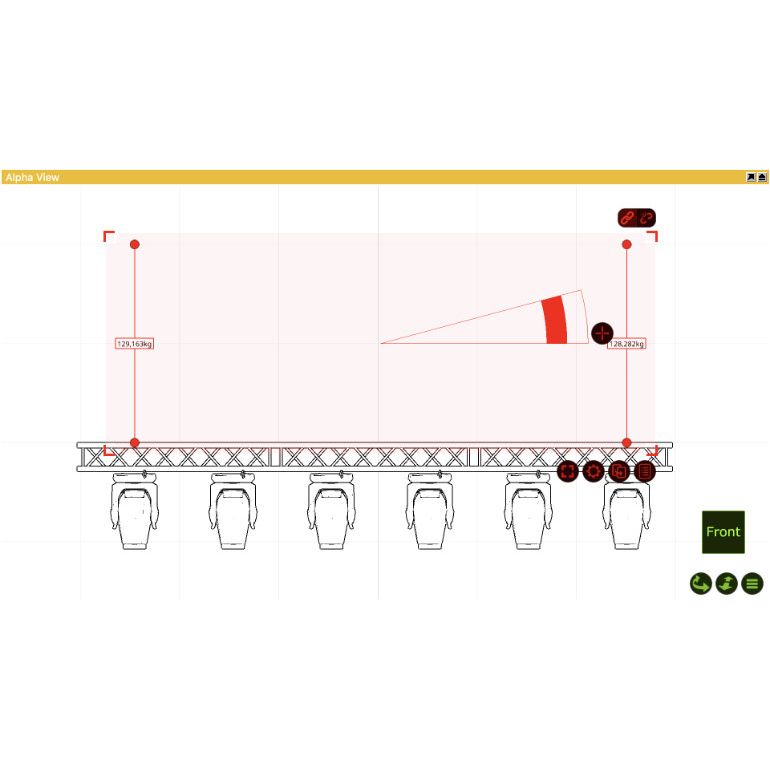
- Use the new Sling object to model chains, wires and ropes. Their annotations can show the load on the sling as well as its 3D coordinate.
- Send your project directly to Production Assist to perform structural calculations. Read back all slings' load data automatically for inclusion in your plots and reports.
- The density and variation of patched smoke boxes can be recorded in and played back from snapshots.
- Position and orientation of motion constructs (from Kinesys, PosiStageNet or BlackTrax) can now be recorded in and played back from snapshots.
Design
- The following improvements make it easier to place objects with accuracy and confidence.
- The object distribution algorithm has been improved to handle object boundaries better, eliminating drift or overshoot when distributing objects.
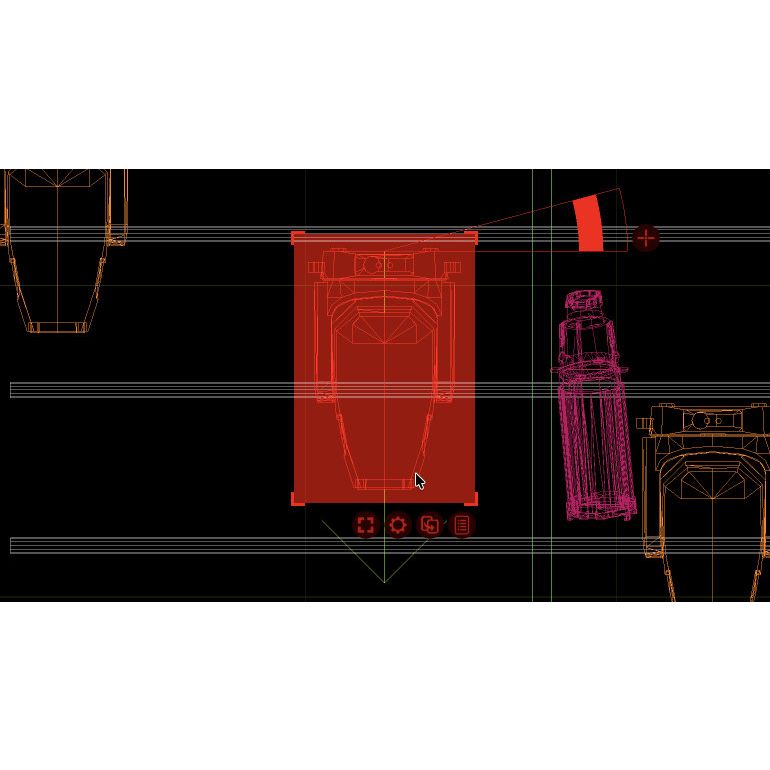
- The orientation reference arrow, which was previously only available for fixtures, is now also shown for LED panels.
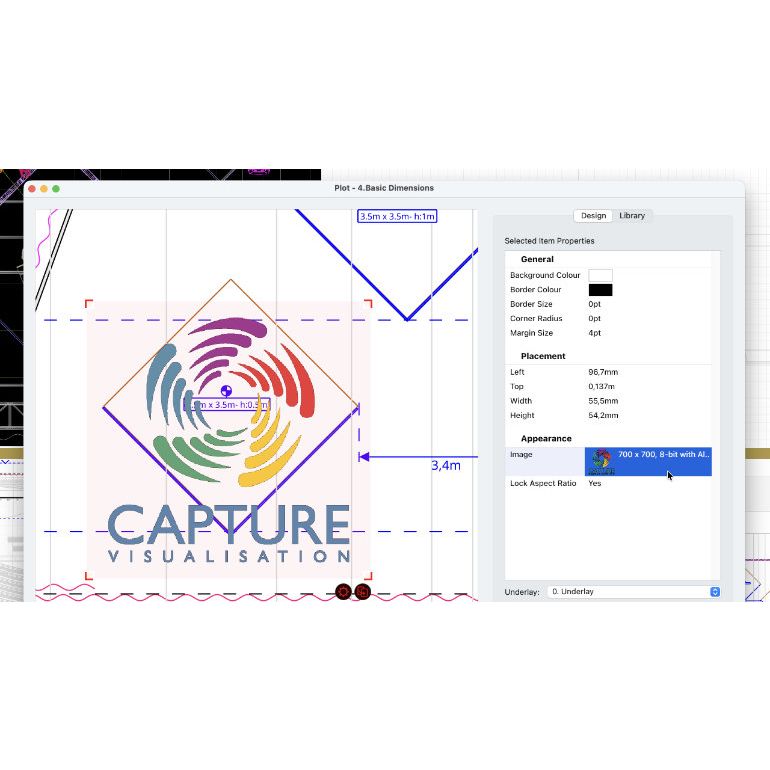
- Transparent images can now be loaded into image objects.
- The default placement of the rotation anchor is now at an object's reference point.
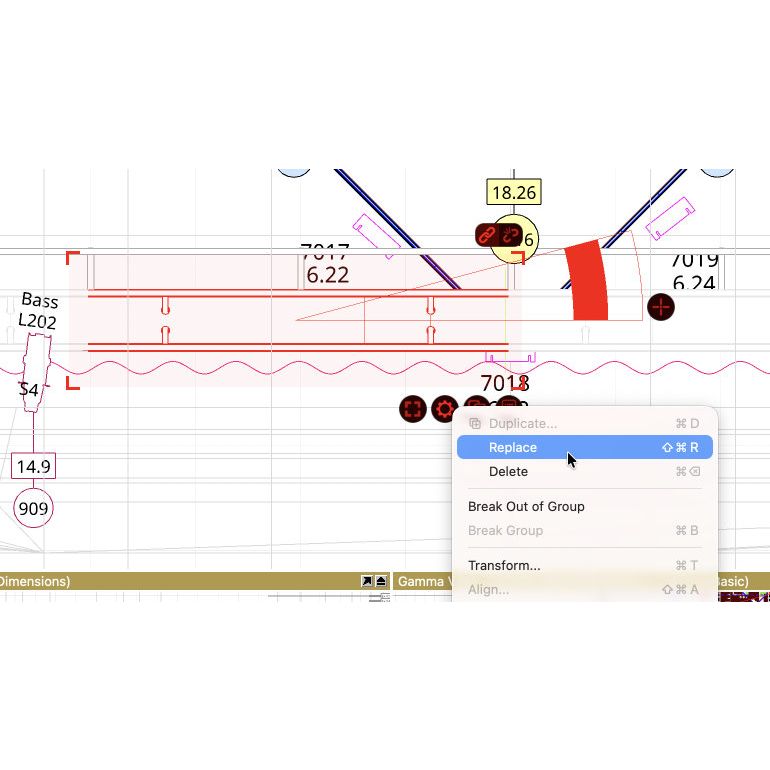
- Static truss can now be replaced with dynamic truss and vice versa. You can also replace imported objects with LED panels, report items and plot symbols.
- Groups can now be locked, making them behave as a single object.
- Imported objects can be set to render as solid in Plot mode.
- A new dedicated "Duplicate and replace .." command is available for library materials and symbols.
Plots and reports
- Annotations are now visible in all types of views - not just orthographic front, top and section views. Plot Styles apply as usual.
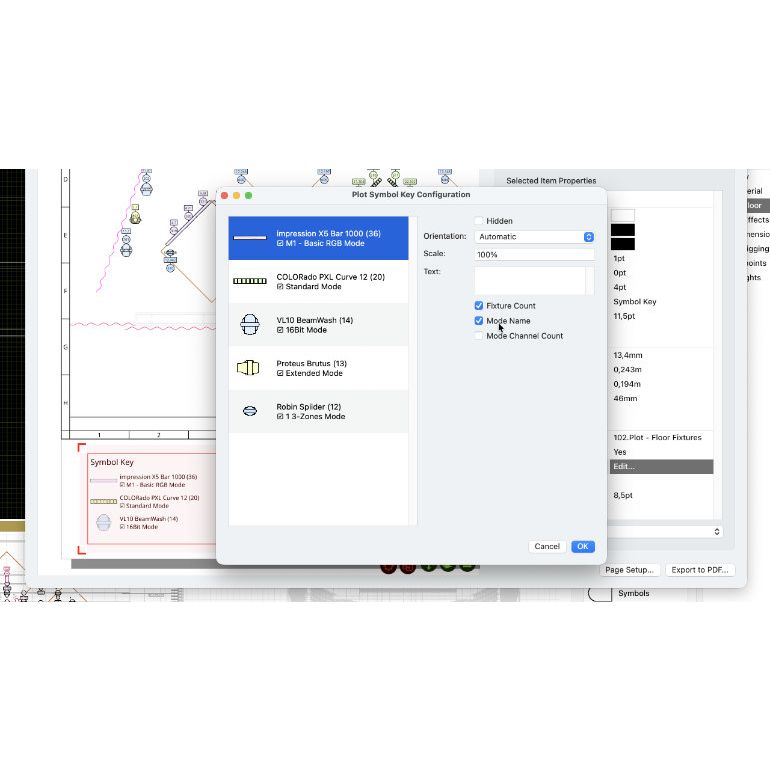
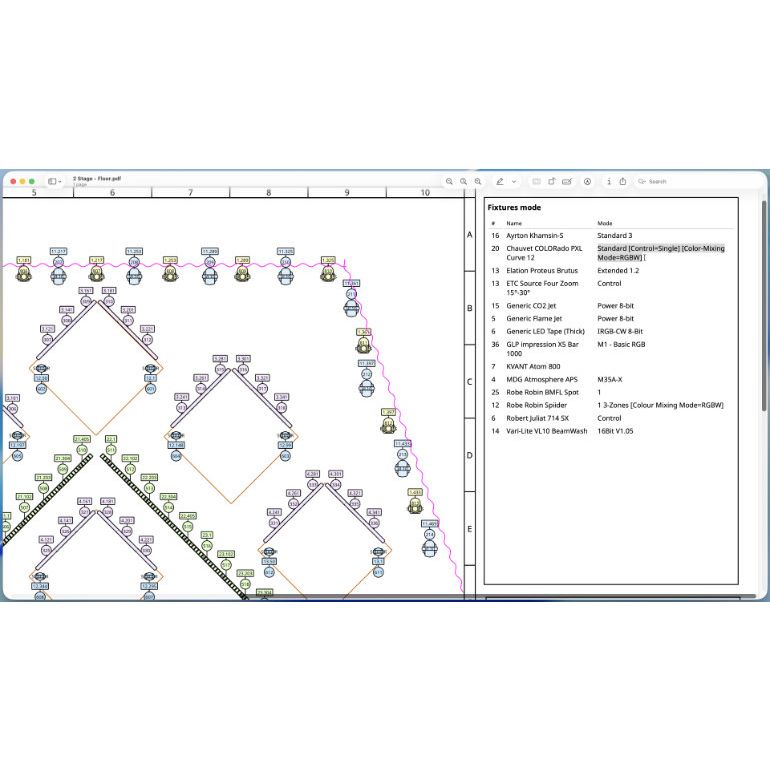
- The DMX modes of all patched fixtures with more than one DMX mode can now be shown automatically in plot symbol keys. This can be complemented or replaced with the number of channels used.
- Transparent images can now be loaded in plot image insets.
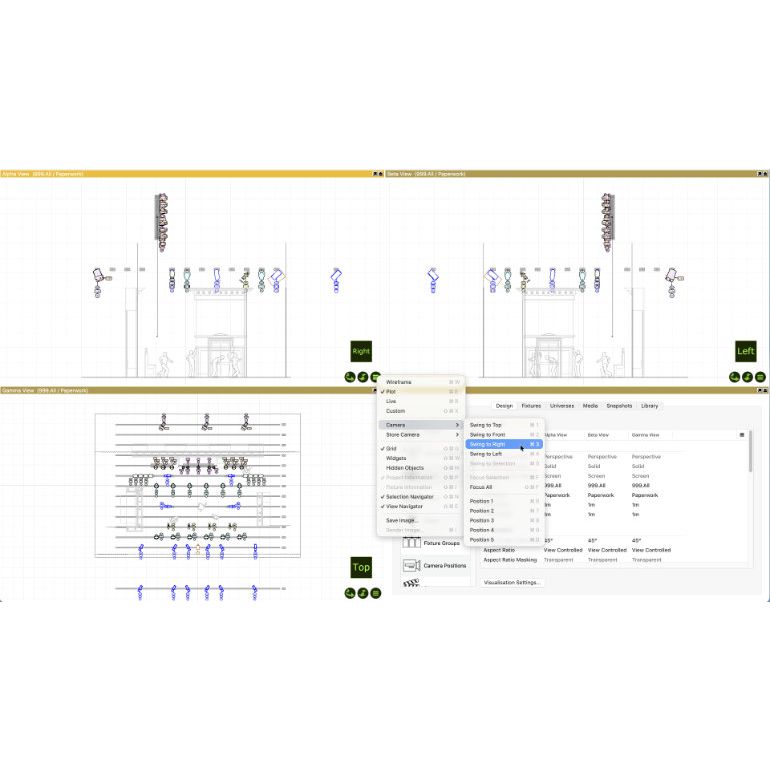
- The Section view type has now been replaced with dedicated Left and Right view types, both of which support plot adjustments.
- Non plot view-content is no longer exported to PDF rasterised (as images). This improves the quality and selectability of text in plot headers and keys.
- A new column showing the number of channels used by a fixture has been added.
- Effect fixtures are now included.
- Report items can be set listed under the Accessory section.
Visualisation
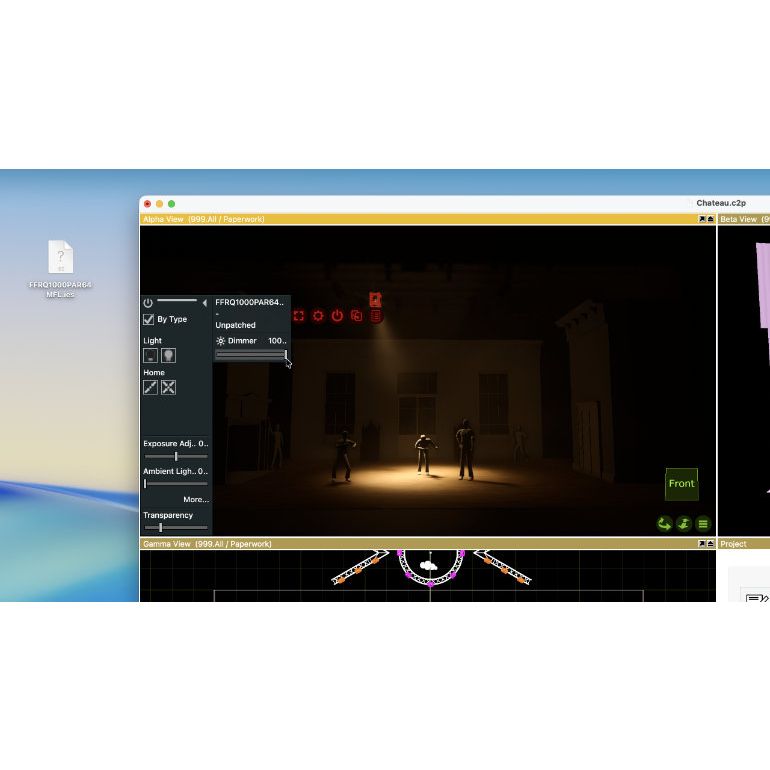
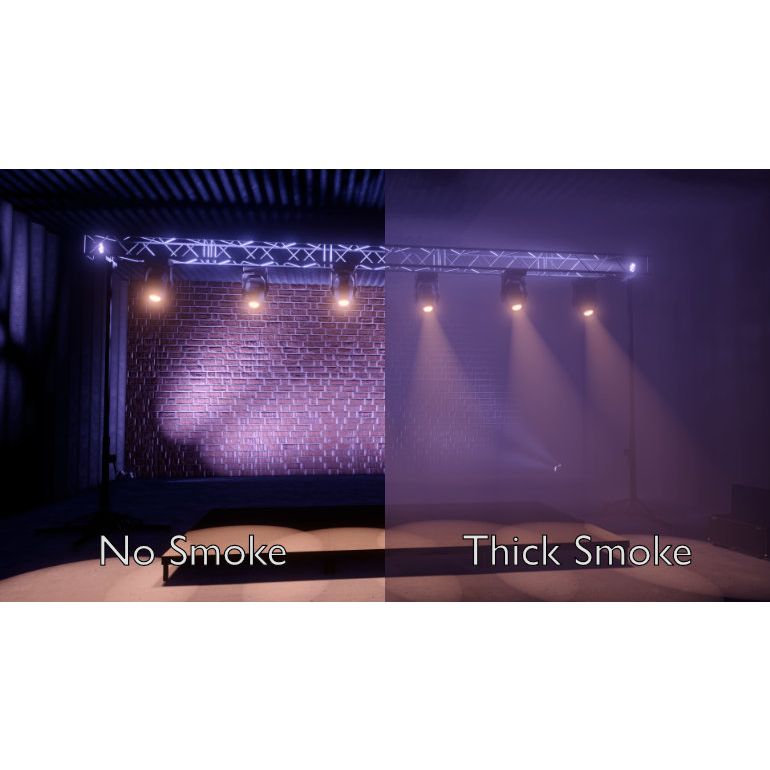
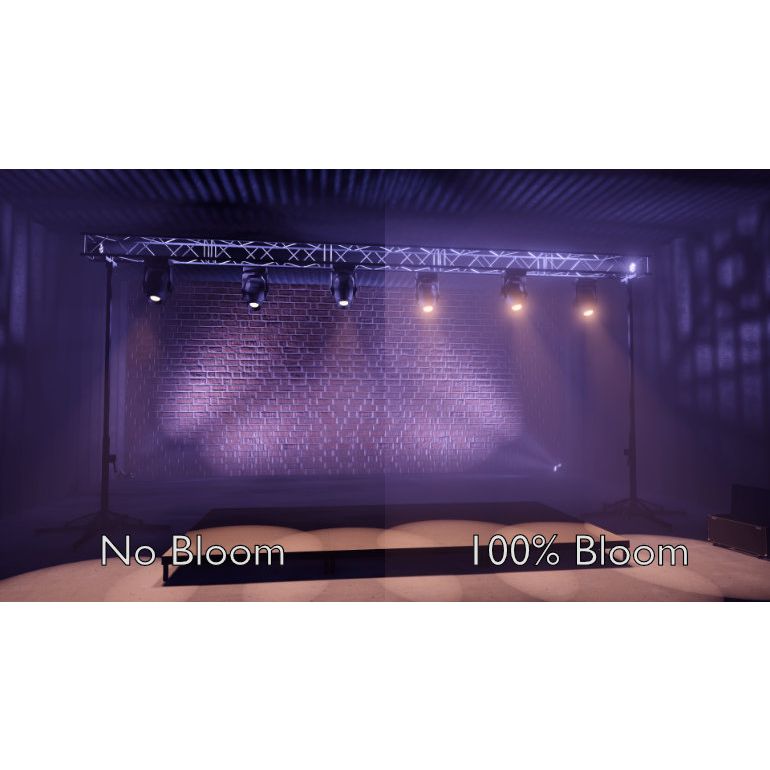
- We have taken the simulation of smoke to a whole new level, with a physically correct participating media simulation. Combined with an improved bloom effect and the addition of lens flares, you can almost touch the smoke on screen.
- Until now smoke only made a difference in the appearance of beams. Smoke now absorbs all light, which gives it a whole new level of presence and realism.
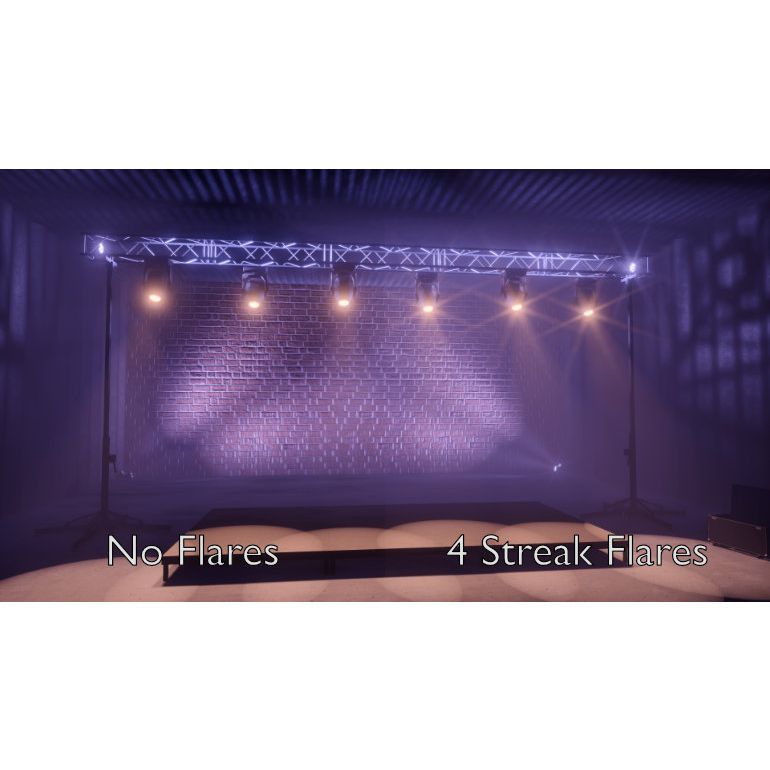
- The Bloom effect simulates optical camera lens and sensor imperfections and limitations. It recreates the look we are used to seeing from digital photography and helps us understand the brightness of light. Thanks to faster video cards we have been able to increase the quality of the bloom effect.
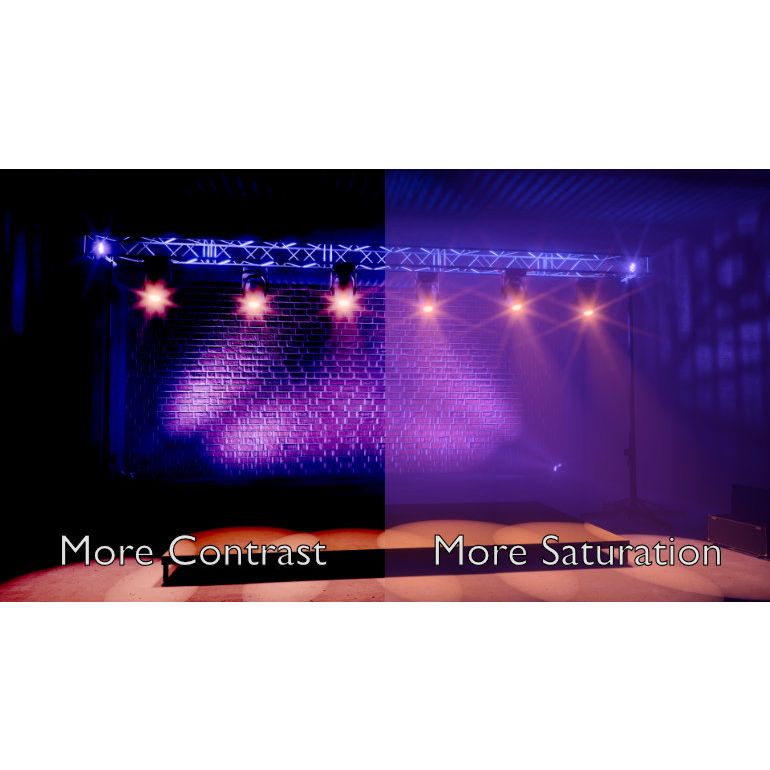
- You can now simulate the streak effect caused by internal reflections against a camera's iris blades. You can configure the number of streaks, their size and intensity, as well as their rotation.
- In addition to Hue Clamping, it is now also possible to adjust the Contrast and Saturation of the visualisation.
Licence Conditions
- Capture licences are personal and grant the owner the right to use an edition of a product on two of this person's computers.
- Capture licences are valid on both Windows and macOS operating systems.
- Capture licences are delivered in the form of digital licence key files. These should be treated as valuables.
- Capture licence ownership can be transferred to another person by request from the currently registered owner only.
Support and Update Policies
- Capture licence owners are entitled to free updates (bug fixes and minor enhancements of existing features) of the product licensed and during its lifetime.
- Capture licence owners are entitled to free technical support and free library support for five years from the date of purchase - given that sufficient documentation is available for the library item(s) requested and that the product licensed is capable of supporting it.
- Capture licence owners' unlock requests (for installations on new computers) will be processed indefinitely.
Upgrade Policies
- Upgrades from any edition to a higher edition will always be available throughout the product's lifetime and at the price difference of the editions in question.
- It is our ambition to release a new Capture product every year.
- Upon the release of a new product, Capture licence owners will be offered to purchase an upgrade to the same edition of the new product. The targetted upgrade price is 10% to 25% of a new licence of the product edition being upgraded.
- If the product editions offered change upon a new product release, Capture licence owners will be offered upgrades to the nearest matching new product edition(s).
- Upgrading to a new product will be offered at the same price regardless of the currently owned product, for up to five product releases.
| Merk | Capture |
|---|
Gerelateerde producten
Mogelijk ook interessant voor u